Facebook Live Replay Downloader
Save a finished Facebook Live as an HD MP4 once the broadcast has ended and the replay has processed. Free and built for long streams — paste the replay link, no app or login.
HD Quality100% Free & SafeMP4 & MP3
How does it work?Save a Finished Live Replay in 4 Steps
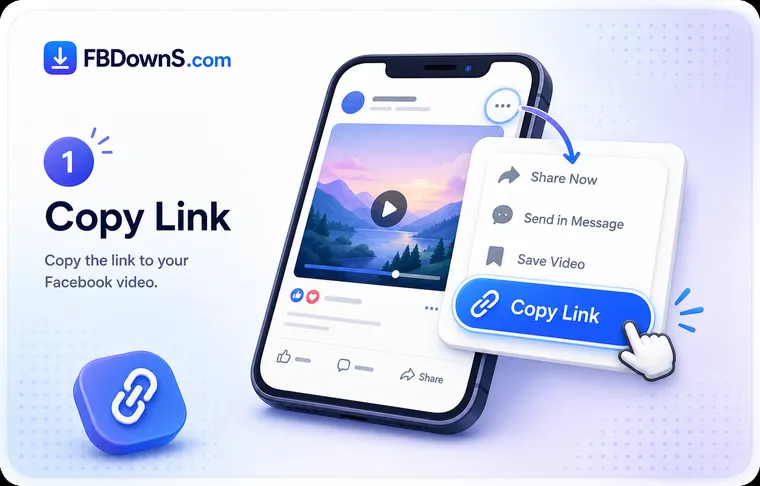
Step 1: Wait for the broadcast to finish
There is nothing to download while a stream is live — Facebook is still receiving and encoding it in real time, so no complete file exists yet. Watch for the host to end the broadcast; only then does a saveable recording begin to form.
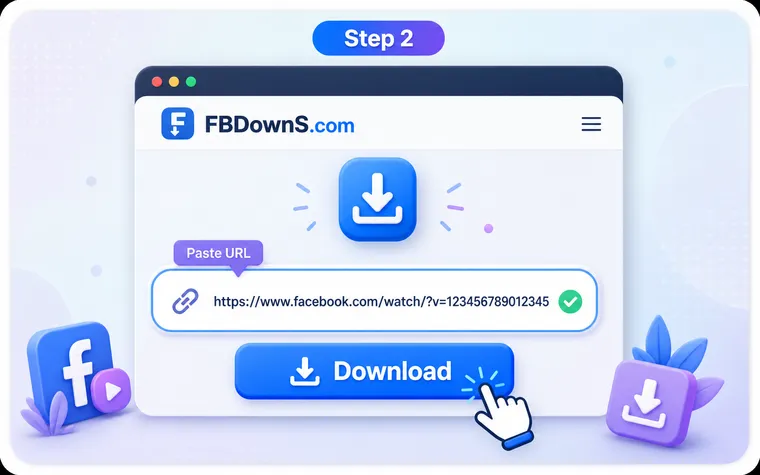
Step 2: Let the replay finish processing
After a Live ends Facebook assembles it into a published video. A short broadcast is ready in a few minutes; a stream that ran for hours can take much longer. If the link returns nothing right away, the replay is still being built — wait and try again rather than assuming a failure.
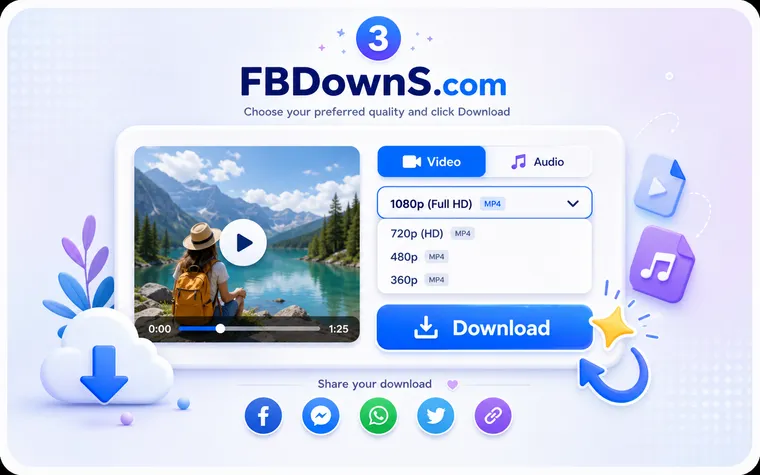
Step 3: Open the published replay and copy its link
Go to the replay itself on the host's page or profile — not the page URL. Use the Share icon or three-dot menu and choose "Copy link", or on a computer copy the address bar URL while the finished replay is open.
Step 4: Paste the link and choose a quality
Drop the replay link into the box at the top of this page and press Download. Pick HD for a laptop on Wi-Fi, SD for a phone or a metered connection, or audio-only if it is a talk. Long broadcasts make large files, so choose before you start.
Why Facebook Live Replays Are Different
Why a live stream can't be grabbed mid-broadcast
This is the one thing that trips everyone up. A running Live has no finished file behind it — Facebook is ingesting the stream chunk by chunk and encoding it as it arrives, so there is literally nothing complete to copy. Tools that claim to capture a Live "as it happens" are really just screen-recording whatever is playing on your own device, which loses quality and depends on you sitting through the whole thing. The reliable path is to wait for the host to end the broadcast, at which point Facebook turns the stream into an ordinary published video that can be saved cleanly from its link.
Processing time and length are the real constraints
Once a Live ends, the replay is not instant. Facebook has to stitch and re-encode the recording, and how long that takes scales with how long the broadcast ran — minutes for a quick fifteen-minute Q&A, potentially much longer for a three-hour service or all-day event. That same length becomes a file-size question at download time: a multi-hour HD replay can run to several gigabytes. If a long download stalls near the end, it is usually the connection giving out on a big file rather than the replay being broken — a wired laptop, the SD copy, or the audio-only MP3 all sidestep it.
What People Save Live Broadcasts For
Sunday Services and Sermons
Congregations stream weekly and members want a lasting copy for anyone who missed it. The replay is often taken down within days, so saving it right after processing is the only sure way to keep the whole service.
Multi-Hour Conferences
All-day summits and workshops broadcast one continuous Live. Because these are the longest replays, they take the most time to process and produce the biggest files — plan for both and grab the full recording once it appears.
Your Own Broadcasts
If you hosted it, keep the master. Streamers lose recordings to deleted posts and closed pages constantly; a downloaded replay is your backup when Facebook's own copy disappears.
Live Sports and Local Events
School matches, recitals and community competitions are frequently streamed once and never re-uploaded. The processed replay is the single archival record of the whole event.
Town Halls and Public Statements
Journalists and researchers save public Live announcements so the exact wording survives even if the host later edits or removes the broadcast.
Long Interviews and Panels
For a two-hour panel where only the discussion matters, the full-length audio replay is easier to revisit offline than scrubbing a heavy video, and it keeps every minute of the conversation.
Built for Finished Live Broadcasts
The Whole Broadcast
You get the complete published replay from start to finish, so a two-hour Live saves as a two-hour file — not a trimmed preview or a highlight clip.
Ready After Processing
As soon as Facebook finishes building the replay, its link works here. There is no live-capture trick — the tool waits for a real finished file, which is why it is reliable.
Handles Long Files
The transfer runs straight from Facebook's servers, so a multi-hour broadcast is not throttled by us. Length is a size question, not a limit.
HD When It Exists
Replays download at the best quality Facebook actually published. Live is often streamed at a lower bitrate than uploaded video, so if only SD exists, that is the honest ceiling.
Audio-Only for Talks
Sermons, lectures and interviews are mostly sound. Save just the audio as an MP3 and a multi-hour talk becomes a fraction of the storage.
No Watermark, No Login
The replay you save is unaltered and not re-stamped, and a public link is all that is needed — your Facebook password is never involved.
Facebook Live Replays — Frequently Asked Questions
Why can't I download a Facebook Live while it's still streaming?▾
Because there is no finished file yet. During a broadcast Facebook is still receiving and encoding the stream in real time, so nothing complete exists to copy. Any tool that claims to save a Live as it happens is really screen-recording your own playback. Wait for the host to end the broadcast, let the replay process, then paste that link here.
How long after a Live ends before I can download the replay?▾
It depends on how long the broadcast ran. A short Live is usually ready within a few minutes; a stream that lasted several hours can take considerably longer for Facebook to assemble and publish. If the link returns nothing immediately after a long broadcast, the replay is still processing — wait a while and try again rather than assuming the tool failed.
My multi-hour Live replay won't finish downloading — what should I do?▾
A long HD replay can be several gigabytes, and the download stalling near the end is almost always the connection dropping on a big file, not a broken replay. Switch to a wired or stronger Wi-Fi connection, choose the SD copy instead of HD, or — if it is a talk — grab the audio-only MP3, which is a fraction of the size.
Why is only SD offered when the host's other videos are in HD?▾
Live is frequently broadcast at a lower bitrate than uploaded video, because the host's upload speed has to keep up with the stream in real time. That means a Live replay can genuinely have no HD version even when the same page's normal posts do. This page lists the qualities Facebook actually published for that replay, so if only SD exists, that is the real ceiling.
Can I download a Live broadcast I hosted myself in the original quality?▾
Often yes, and it's worth checking Facebook first. When the broadcast is yours, Facebook's own video tools usually let you download the recording from your page's library, and that copy is sometimes closer to the original quality than the public replay. Use a downloader as the fallback — for example when the Live was on a page you no longer manage.
Can I save a Facebook Live that was streamed to a private group?▾
No. A broadcast limited to a private group, Friends only, or a restricted audience cannot be reached by any external tool, and this page does not attempt to bypass those settings — it only reads what a normal visitor can already see. If you were legitimately part of the group and need a copy, ask the host to share the recording with you directly.
The host deleted the replay — can I still download it?▾
No. Once a host removes the published replay there is no longer a file to fetch, and nothing external can recover it. This is exactly why saving Live replays quickly matters more than saving ordinary posts: many hosts take broadcasts down within days, and the recording is then gone permanently.
Can I get just the audio from a long Live talk or sermon?▾
Yes. Choose the audio option to save only the sound as an MP3. For a multi-hour sermon, lecture, interview or panel that is usually all you need, and it turns a several-gigabyte video into a small file you can play anywhere without watching the screen.
More Facebook download tools
Facebook Video Downloader
Save any public FB video in HD MP4.
Facebook Reels Downloader
Download Reels with sound, no watermark.
Facebook Story Downloader
Save Story videos & photos before they expire.
Private Video Downloader
Save private videos you're allowed to view.
Facebook Photo Downloader
Download photos in full resolution.
Facebook to MP3 Converter
Extract audio from any Facebook video.
Related searches
Common ways people ask about saving a finished Facebook Live broadcast, all answered above:
- download finished facebook live
- save facebook live after it ends
- facebook live replay download
- how long until a facebook live replay is ready
- download long facebook live video
- facebook live replay to mp4
- download facebook live broadcast
- facebook live processing time
- save a facebook live sermon
- download my own facebook live
- facebook live to mp3
- why can't i download a live facebook video