Every Facebook Download, One Hub
Video, reel, story, photo or audio — paste any public Facebook link here, or jump straight to the tool built for that exact content type. No app, no login.
HD Quality100% Free & SafeMP4 & MP3
How does it work?Pick Your Facebook Content Type
Video → /video
Feed clips and Watch videos. The dedicated video tool lists every merged MP4 Facebook publishes so you can pick HD or a lighter SD copy. Best when a link is a normal in-feed or shared video.
Reel → /reels
Short vertical clips. The reels tool keeps the full 9:16 frame and the trending audio in sync, with no cropping. Use it whenever the link opens in the Reels player rather than the feed.
Story → /story
24-hour posts that disappear. The story tool grabs both story videos and story photos, but only while the story is still live — so this is the one to reach for fast.
Photo → /photo
Single pictures, album images, profile and cover photos. The photo tool returns the largest size Facebook holds instead of a cropped screenshot, ready to print or archive.
Audio → /audio
Just the sound from a public video. The audio tool strips the MP3 out of a talk, interview or piece of music so you can listen with the screen off.
Live replay → /facebook-live-download
A broadcast that has already ended. Once Facebook publishes the recording it behaves like a normal video, and the live tool saves that finished replay in full.
How the Hub Routes Your Download
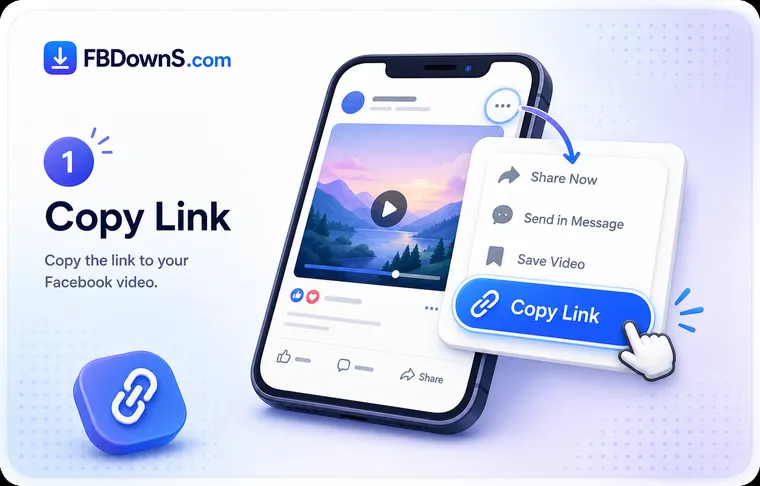
Step 1: Identify what the link actually is
Look at the post before you copy it. A vertical clip in the Reels player, a fading 24-hour Story, a single photo and a normal feed video are four different things — and each has its own optimised tool linked in the grid above.
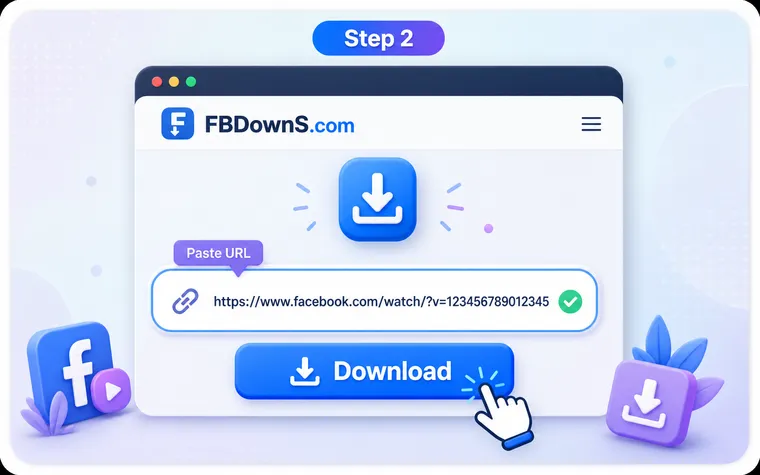
Step 2: Paste here or jump to the exact tool
You can paste any public Facebook link into the box on this hub and it will resolve. If you already know the type, opening the matching tool (video, reels, story, photo or audio) gives you the format options tuned for that content.
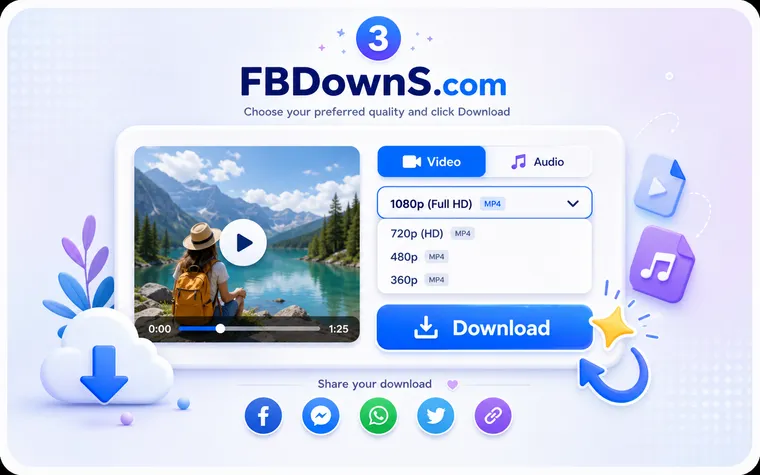
Step 3: Choose a format and save
Pick HD or SD MP4 for moving content, full-size for a photo, or MP3 for audio, then save. The file transfers from Facebook's own servers to your device — Downloads or Gallery on Android, the Files app on iPhone, the browser folder on a computer.
A Directory, Not a One-Button Guide
This page is a directory, not a tutorial. "FB download" covers half a dozen genuinely different jobs — a disappearing Story is nothing like a full-size album photo, and a vertical reel is not a Watch video — so instead of one catch-all guide, each content type has its own tool built around what that format needs. Use the grid above to jump straight to the right one.
Why not just one universal button?
Because the format options differ. A photo has no quality ladder but does have a full-resolution original; audio is an MP3 with no video track at all; a live replay only exists after the stream ends. A single generic button would hide those choices. The specialised tools surface exactly the options that content type supports, which is why routing you to them beats a one-size-fits-all page.
What Makes This a Hub
Every content type, one entry point
Video, reels, stories, photos, audio and live replays are all reachable from this hub, so you never have to remember which separate site handles which format.
One link resolves anywhere
Not sure what you copied? Paste it here and it works. The hub accepts any public Facebook link and hands off to the right handler behind the scenes.
Purpose-built tools per format
Each linked tool is tuned for its job — HD ladders for video, 9:16 preservation for reels, full-resolution for photos, MP3 extraction for audio.
Same simple flow throughout
Whichever tool you land on, the pattern is identical: paste a public link, choose a format, save the file. Nothing to install and no account anywhere.
Clear about what each tool can't do
Every specialised page states its limits up front — expired stories, private posts and unfinished live streams cannot be fetched by any of them.
No login on any page
None of the tools in this hub ever ask for a Facebook password. A public URL is the only input, so your account is never touched.
Choosing the Right FB Tool — FAQ
which fb tool do i use for a reel versus a normal video▾
If the clip opens in Facebook's vertical Reels player it is a reel, so use the reels tool to keep the full 9:16 frame. If it plays in the feed or in Watch as a landscape or square video, use the video tool. Both accept the link, but each is tuned for the shape and audio handling of its own format.
can one tool really download every facebook content type▾
This hub is the single entry point, but under the hood it routes to a dedicated handler for each type — video, reel, story, photo, audio and live replay. You get the convenience of one starting place with the format-specific options each content type actually needs.
i copied a link but don't know what type it is — what now▾
Just paste it into the box on this hub. It resolves any public Facebook link and figures out whether it is a video, reel, photo, story or live replay, then offers the correct save options for whatever it turns out to be.
why does the photo tool not offer hd or sd like the video one▾
Photos have no quality ladder — there is a single original image rather than multiple encoded resolutions. The photo tool instead gives you the largest size Facebook stores, which is why it is a separate tool from the video downloader with its HD and SD MP4 choices.
what's the difference between the story tool and the others▾
Timing. Stories are removed automatically after 24 hours, so the story tool only works while the story is still visible. Every other tool works on content that stays up, so a video or photo can be saved days or weeks later — a story cannot.
if i want only the sound, which tool should i open▾
Use the audio tool. It takes a public video link and returns just the MP3 with no video track, which is what you want for a podcast clip, an interview or music. The video tool keeps the picture; the audio tool discards it.
does the live tool work during a broadcast▾
No. A stream that is still running has no finished file yet. The live tool works only once the broadcast has ended and Facebook has published the replay, at which point the recording behaves like an ordinary video.
do the different tools each need their own app or account▾
None of them do. Every tool in this hub is an ordinary web page that runs in your browser, needs no installation on any device, and never asks for a Facebook login. The only input any of them takes is a public link.
More Facebook download tools
Facebook Video Downloader
Save any public FB video in HD MP4.
Facebook Reels Downloader
Download Reels with sound, no watermark.
Facebook Story Downloader
Save Story videos & photos before they expire.
Private Video Downloader
Save private videos you're allowed to view.
Facebook Photo Downloader
Download photos in full resolution.
Facebook to MP3 Converter
Extract audio from any Facebook video.
Related searches
Common ways people look for an all-in-one Facebook downloader:
- fb downloader for everything
- download any facebook content
- which fb download tool to use
- fb video reel story photo audio
- all in one facebook downloader
- facebook content type downloader
- one link facebook download
- save facebook post any type