Facebook Reels Downloader
Save short-form Facebook Reels to your phone in full 9:16 vertical with the original sound. Paste the reel link — no login, no app.
HD Quality100% Free & SafeMP4 & MP3
How does it work?Saving a Facebook Reel, Not Just a Video
A Reel is not just a short Facebook video — it is a full-screen vertical clip built to be watched thumb-first on a phone, with a looping sound that is meant to play the moment it appears. That is exactly why saving one is different from saving a regular feed video. When you download a Reel through FB DownS you keep it in its native 9:16 shape and hold on to the original audio track, so the clip you store looks and sounds like the one that filled your screen in the feed, not a squashed rectangle with muted background music.
Why saving a Reel is different from saving a normal video
Ordinary Facebook videos are usually landscape or square and often sit inside a post with text around them. Reels live in their own vertical player, run for seconds rather than minutes, and lean on trending sound as much as picture. Because of that, the two things people most want to preserve from a Reel are the tall aspect ratio and the exact audio. Paste a public reel link at the top of this page and FB DownS returns a vertical MP4 sized for a phone screen, plus an MP3 option if the sound is the part you actually came for.
Save a Reel to Your Phone in 3 Steps
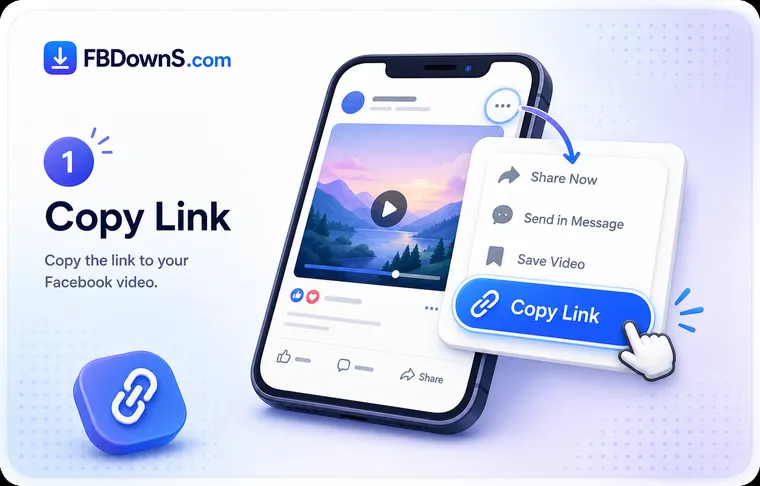
Step 1: Copy the reel's share link
Inside the Reels player, tap the Share arrow and choose "Copy link". A reel link looks different from a normal video URL, so grab it from the reel itself rather than from a profile grid or a search result.
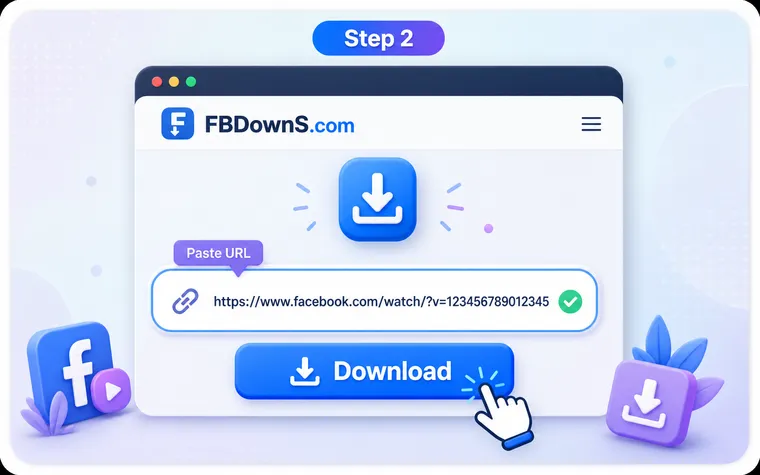
Step 2: Paste it and keep the vertical format
Drop the link into the box at the top of this page and tap Download. FB DownS reads the reel and offers a full 9:16 vertical MP4 with sound, a lighter version for slow data, or an audio-only MP3 if you just want the track.
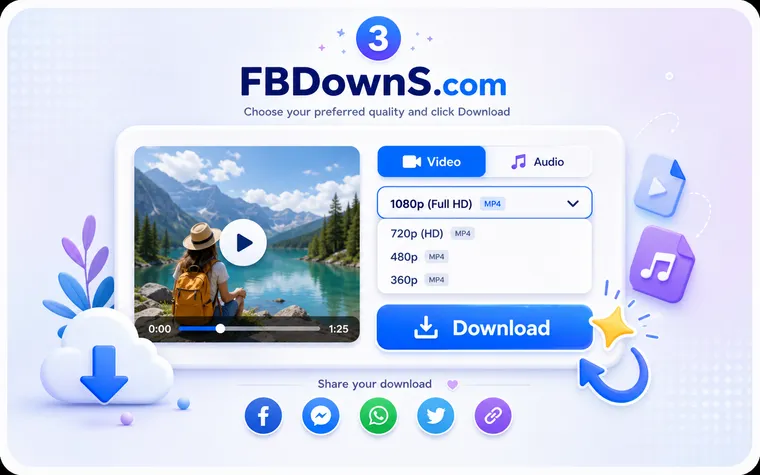
Step 3: Send it straight to your phone gallery
Tap Download once more. On a phone the vertical clip saves into Photos, Gallery or the Files app, ready to loop offline; on a laptop it drops into your browser's Downloads folder at the same aspect ratio.
What a Saved Reel Is Actually For
Loop it offline on the commute
A saved reel keeps looping full-screen on a plane or an underground train where the app cannot load — the vertical clip fills the phone exactly like it did in the feed, using no data.
Keep the trending sound
Sometimes the audio is the whole point. Pull the reel's track as an MP3 so a sound or snippet of music you liked is yours to replay without opening Facebook.
A swipe file of short-form ideas
Creators studying pacing, hooks and cuts can keep a folder of vertical reels to scrub through frame by frame — far easier than trying to re-find a clip the feed has buried.
Reshare a real file, not a link
Send a friend a tappable vertical MP4 that plays instantly in their messages, instead of a reel link that demands the app, a login and a loading screen.
Back up reels you made
Hold on to the original vertical master of your own reels so a deleted post, a lost login or an app glitch never costs you the clip you created.
Follow a how-to at your own pace
Recipe and tutorial reels move fast. Saved to your phone, you can pause, rewind and re-loop the vertical clip as many times as the steps take.
What You Keep When You Download a Reel Here
True 9:16 vertical, untouched
The reel keeps its original portrait shape end to end — no letterbox bars, no forced crop to square, no stretch. What filled your screen in the feed fills it again when you play the file back.
Original audio kept in sync
Trending music, voiceovers and background sound come through exactly as they played, correctly synced to the picture. Nothing is muted or re-mixed, and you can also lift the sound alone as an MP3.
Built for the phone gallery
A reel is a phone-first format, so the download drops straight into Photos, Gallery or Files where you can loop it, trim it or reshare it like any other clip on your camera roll.
Fast, because reels are small
Short-form clips are only a few seconds of vertical video, so a reel is one of the quickest things to save — the transfer usually finishes before you have put your phone down.
No FB DownS watermark
You get the clean source reel with none of our branding stamped on top. Only marks the creator baked into their own reel before posting remain, because we never re-edit the original.
One reel at a time, on purpose
FB DownS handles a single reel per paste — no bulk scraper, no profile watcher, no queue. It reads the one public link you give it and nothing else, which keeps the tool honest and simple.
Facebook Reels — Questions People Actually Ask
Does the download stay in the vertical 9:16 reel shape?▾
Yes. FB DownS returns the reel in its native portrait 9:16 aspect ratio, so the saved clip fills a phone screen top to bottom with no black bars, no crop to square and no stretching. It plays back looking just like it did in the Reels player.
Will the original reel audio and trending sound be kept?▾
Yes. The saved MP4 plays with exactly the sound you heard in the feed, synced to the picture — trending music, voiceover and background audio all come through unchanged, because nothing is muted or re-encoded. If only the sound matters, choose the MP3 option to keep the track on its own.
How is downloading a Reel different from downloading a normal Facebook video?▾
A Reel is short-form and vertical, so the two things worth preserving are the tall 9:16 frame and the audio track, and FB DownS keeps both. A regular Facebook video is usually landscape or square; you can save those on our main video downloader page. The paste-and-download steps are the same, but the output shape differs.
Why does the reel link look different from a normal video URL?▾
Facebook serves Reels through their own player, so the share link carries a reel identifier rather than a standard video path. Always use "Copy link" from inside the Reels player itself — a URL grabbed from a profile grid or a search page often points at the wrong place and will not resolve to the clip.
Can I save just the sound from a reel as an audio file?▾
Yes. After you paste the reel link, pick the MP3 / audio-only option and FB DownS gives you the reel's soundtrack as a standalone audio file, without the video. It is handy when it is the trending track or a snippet of music you actually wanted to keep.
Where does a saved reel go on my phone?▾
On Android the vertical clip usually appears in your Gallery or the Downloads folder in Files. On iPhone and iPad it lands in the Files app under Downloads, and you can move it into Photos so it sits with your camera roll and loops like any other short clip.
What is the best quality I can get for a Facebook Reel?▾
You get the best merged video-and-audio file Facebook actually publishes for that reel, which in practice is normally a 720p HD vertical MP4 alongside a smaller version. Because reels are shot for phone screens, that 720p vertical file already looks sharp full-screen; genuine 1080p or 4K reel downloads are not something Facebook offers.
Can I download someone else's reel and repost it as my own?▾
Saving a reel does not transfer the rights to it. A reel belongs to whoever created it, so reposting one, cutting it into a compilation or monetising it needs the creator's permission and a clear credit. Keep downloads for personal, offline viewing and do not pass another person's reel off as your work.
Can FB DownS grab a private or restricted reel?▾
No. FB DownS only reads reels that are publicly viewable from their link. It does not bypass privacy settings or unlock reels limited to an audience you are not part of. Only save reels you posted yourself or have clear permission to keep.
Why won't my reel download — what usually goes wrong?▾
The most common cause is the wrong link: make sure you tapped "Copy link" on the reel inside its player, not on a profile or a search result. Deleted, region-blocked or privately restricted reels also return nothing, which is correct rather than a fault. Re-copy a fresh link from the reel and try once more.
More Facebook download tools
Facebook Video Downloader
Save any public FB video in HD MP4.
Facebook Story Downloader
Save Story videos & photos before they expire.
Private Video Downloader
Save private videos you're allowed to view.
Facebook Photo Downloader
Download photos in full resolution.
Facebook to MP3 Converter
Extract audio from any Facebook video.
Popular guides
Related searches
These are the vertical, sound-first ways people ask to save a Facebook Reel:
- save fb reels to phone
- download facebook reels with audio
- facebook reels to vertical mp4
- 9:16 reel download
- facebook reels sound download
- keep original reel audio
- download short facebook reel
- facebook reels saver
- vertical reel to gallery
- facebook reel mp3 download
- save reel to camera roll
- download facebook reel to iphone